Amazon Signage Stick + Taplist.io: The Superior Solution for Your Digital Menus

Taplist takes performance to the next level with the new Amazon Signage Stick.

Our collaboration with Amazon Signage pairs Taplist’s best-in-class digital menu software with a cost-effective hardware solution purpose-built for venues that demand commercial-grade, multi-screen reliability and control.

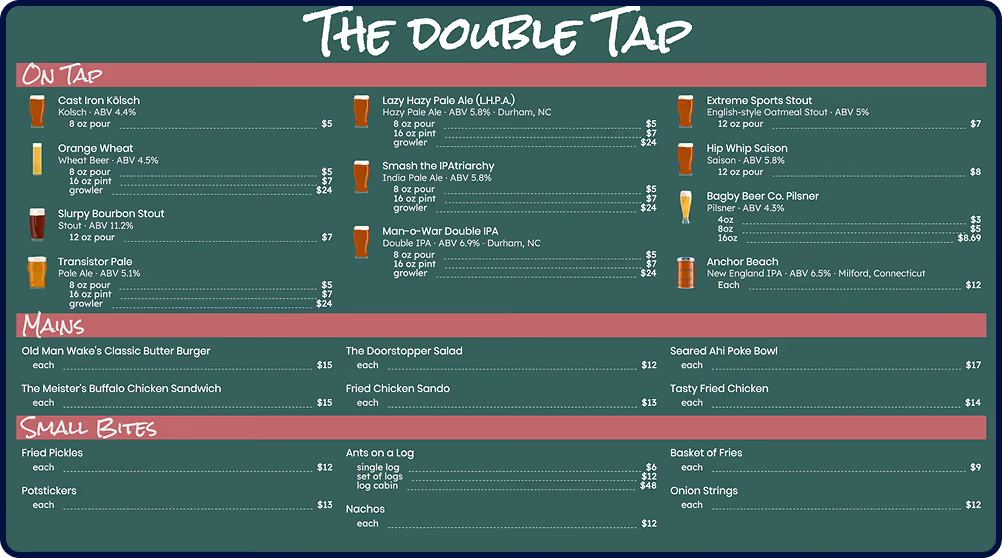
Menu titled The Double Tap featuring sections On Tap with various beers and prices, Mains with burger, salad, chicken sandwich, poke bowl, and fried chicken, and Small Bites with fried pickles, potstickers, ants on a log, nachos, fries, and onion strings.amazon signage stick

Industry-Leading Menu Software + Professional-Grade Hardware

Taplist and Amazon Signage Stick complement each other perfectly—combining the best menu management software in the industry with hardware designed specifically for demanding venue operators.

Learn more about Amazon Signage Stick
Affordable professional signage
Purpose built for digital signage
Easy remote setup of all your Signage Sticks in minutes
Seamless integration with Taplist.io with automated updates
Powerful performance - 4k, quad-core speed, fast Wi-Fi6 connectivity
Built to scale across multiple displays and locations
Conveniently available through Amazon.com with business pricing
Easily design customizable menus that update instantly
POS integrations with GoTab, Square, Toast
Multi-location menu management from one dashboard
Private database to keep your products yours or or auto-complete with our 1M+ item public database
Drinks, food, merchandise—in all plans
Manage 1 to unlimited displays
Transparent pricing and money-back guarantee

Why Amazon Signage Stick with Taplist?

For over a decade, Amazon Fire TV's been the go-to choice for Taplist customers. Amazon Signage Stick takes that proven Amazon performance with Taplist to the next level with features built specifically for digital menus and signage.

Purpose-Built

Created For Your Counter, Not Your Couch

Purpose-built for business, Amazon Signage Stick skips unnecessary consumer features and is tailor-made for TV-screen menus in commercial environments. Boot directly into Taplist and prevent unwanted apps with Kiosk mode lockdown.
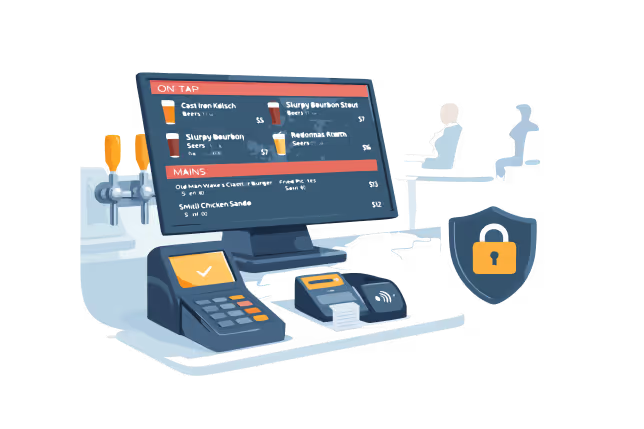
Digital point-of-sale system displaying a menu with drinks and food, connected to payment devices and secured by a digital lock icon.
Reliability

Set It and Actually Forget It

Amazon Signage Stick auto-relaunches Taplist every time—after power outages, network disruptions, or system updates. And uses commercial-grade components designed for continuous use. Your menus stay live 24/7 without you lifting a finger.
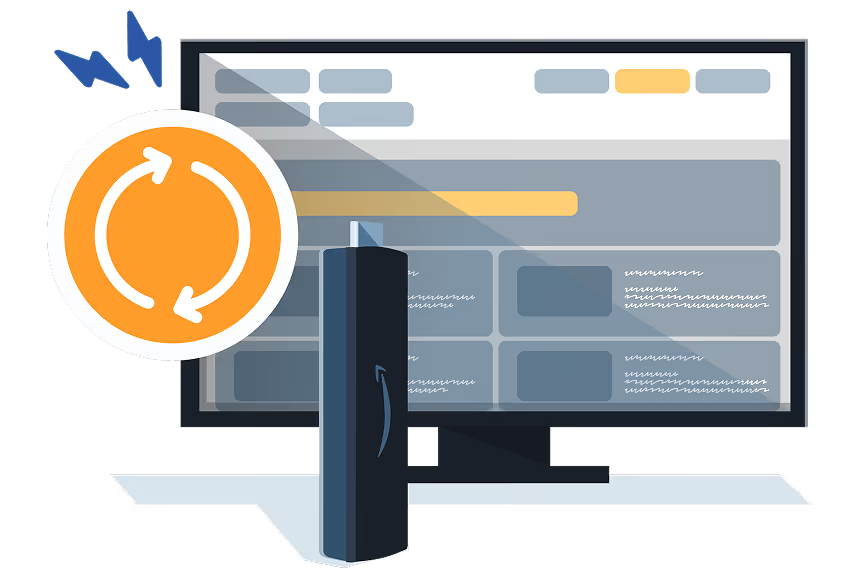
reliability illustration
Management

Manage All Your Displays from HQ... or Home

Managing consumer streaming devices require you to be in front of the TV, with a remote, one screen at a time. Amazon Signage Stick gives you remote management, plug-and-play setup, centralized monitoring and automatic updates across all your screens and locations.
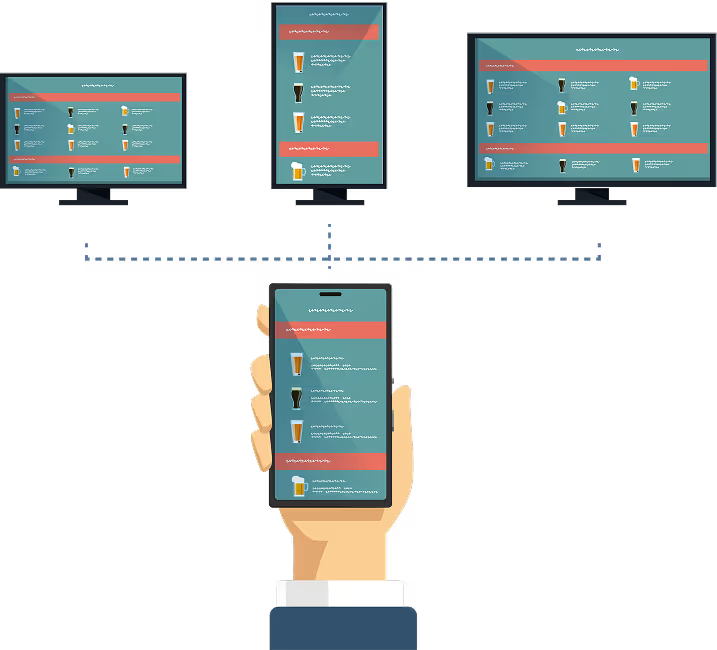
Illustration of a hand holding a smartphone displaying a menu with beverage icons, connected by dotted lines to three monitors showing menus in different layouts.

You'll Love Signage Stick If...

You want simple, affordable professional signage
You have multiple screens and locations to manage whether chain or independent operator
You need displays locked down to prevent unauthorized use
You're tired of managing your screens one at a time with the remote
Remote monitoring and management would give you peace-of-mind

Fire TV is Perfect If...

You have a single location
You're usually on-site during operating hours
Budget is your primary consideration
You already own one and/or have comfort and familiarity with Fire TV
Enterprise features aren't critical (yet)

Why Our Team Love Amazon Hardware

Taplist already lets you manage your menus from anywhere, but if there's a hardware issue you'll have to deal with it in-person. Those days are over thanks to Amazon Signage Stick. For multi-location operators already using Taplist, that's transformative.

preston theler
Preston Theler
Customer Support Lead, Taplist

Ready for our best pairing yet?

Try Taplist free for 14 days and add Amazon Signage Stick to complete your setup.
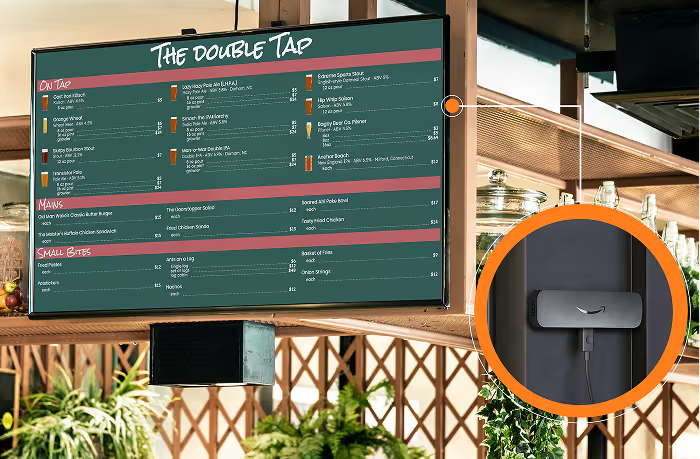
Menu board titled The Double Tap displaying drinks, mains, and small bites with prices, accompanied by a mounted device with an Amazon logo attached to a dark surface.

Frequently Asked Questions

We've prepared some answers to our most frequently-asked questions.

Do I need to change my Taplist subscription to use Amazon Signage Stick?

No. Your Taplist subscription stays the same regardless of which hardware you use. Amazon Signage Stick is just the display hardware—it doesn't affect your Taplist pricing or features. You can use Amazon Fire TV Stick, Amazon Signage Stick, Apple TV, Roku or any supported device with the same Taplist account.

Can I mix Fire TV and Signage Stick across different locations?

Absolutely. Many customers use Amazon Fire TV Stick at some locations and Amazon Signage Stick at others. All devices appear in the same Taplist dashboard, so you manage everything from one place. This is perfect if you want to test Amazon Signage Stick at high-priority locations before rolling it out everywhere.

Will Taplist still work on my Roku, Apple TV, or other device?

Yes—we fully support Roku, Apple TV, Chromecast, and Raspberry Pi, and have no plans to change that. However, we recommend Amazon devices (Fire TV Stick or Amazon Signage Stick) because they consistently deliver the best performance for digital menus. In our experience across thousands of venues, Amazon hardware offers superior reliability, easier setup, and better long-term support that pairs perfectly with Taplist. More specifically, the Amazon Signage Stick is purpose-built for menus and digital signage, providing a recommended option for simplifying and scaling professional signage in a cost-conscious manner.

Where can I buy Amazon Signage Stick?

Amazon Signage Stick is available directly from Amazon.com. You can order online and have it shipped to your venue, typically within 1-2 business days. We'll provide direct purchase links and setup guides once you're ready to order. For Enterprise plans, we typically bundle Amazon Signage Sticks with Taplist pre-loaded for plug-and-play ease.

What's included with Amazon Signage Stick?

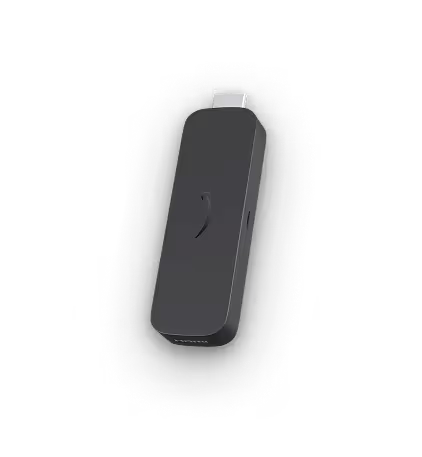
Each Amazon Signage Stick includes the device (media player), power adapter, HDMI cable, and access to Amazon's Signage mobile app for management. You'll need a TV with HDMI input and WiFi or ethernet connectivity. That's it—no additional hardware required.

How do I set up Amazon Signage Stick with Taplist?

Setup takes about 5 minutes:

1. Plug Signage Stick into your TV's HDMI port and connect power
2. Download the Amazon Signage mobile app on your phone
3. Select Taplist from the CMS menu in the app
4. Enter your Taplist venue code
5. Your menu appears automatically

For multiple devices, you can create reusable profiles and provision dozens of Signage Sticks in minutes.

For a full setup guide, visit our support article here.

What if Amazon Signage Stick doesn't work for me?

Amazon Signage offers online support resources and assistance via a support alias (signage-support@amazon.com). Amazon also offers standard return policies for Amazon Signage Stick purchases. Additionally, Taplist works on multiple hardware platforms, so you can always switch to Fire TV Stick, Roku, or another supported device if Amazon Signage Stick doesn't meet your needs. We're here to help troubleshoot and ensure you find the right setup for your operation.

Does Amazon Signage Stick require a separate subscription?

No. Amazon Signage Stick is a one-time hardware purchase (around $99). There are no monthly fees, subscriptions, or ongoing costs for the device itself. You only pay for your Taplist subscription, which covers multiple displays regardless of hardware type.

Can I manage Amazon Signage Stick remotely?

Yes—that's one of its biggest advantages. Using Amazon's Signage mobile app or web portal, you can:

• Monitor the status of all Signage Sticks across all locations
• Restart devices remotely
• Push configuration updates
• Check connectivity and health status
• Provision new devices without being on-site

Taplist already enables remote-management of your menus across your screens and locations. Now you're able to manage your streaming hardware to ensure complete remote management. This is especially valuable for multi-location operators who can't physically visit every venue regularly.

What's the difference between Amazon Signage Stick and Fire TV Stick for Taplist?

Both work great with Taplist. Here are the key differences:

Fire TV Stick (~$30-40):
• Consumer device adapted for business
• Individual device management
• Great for single locations
• Best value for most customers with limited number of displays

Amazon Signage Stick (~$99):
• Purpose-built for commercial signage
• Centralized remote management
• Built for 24/7 operation
• Best for multi-location or high-uptime needs
• Auto-relaunches after every update or outage

We recommend Fire TV Stick for single screens/location and Amazon Signage Stick when uptime, scale, and remote management matter.

Will Amazon Signage Stick work with my POS system?

Amazon Signage Stick is just the display hardware—it shows your Taplist menu. Taplist integrates directly with POS systems like GoTab, Square, and Toast regardless of which display hardware you use. So yes, your existing POS integration will work perfectly with Signage Stick.

How is Taplist + Signage Stick different from Untappd for Business?

Both Taplist and Untappd support Amazon Signage Stick, so you get the same commercial-grade hardware either way. The difference is in the menu management software:

Taplist advantages:
• $588/year vs. Untappd's ~$1,199/year (save $600+)
• Direct POS integration vs. manual menu entry
• Optional private database vs. forced public listings
• All menu items included vs. premium tier requirements
• Transparent pricing vs. hidden costs
• And many more...

Same professional hardware, better menu software, better value. For a full breakdown, visit our comparison guide.

Is Amazon Signage Stick hard to set up?

No—it's actually simpler than Fire TV Stick. Amazon's Signage mobile app walks you through setup in about 5 minutes. Plug it in, open the app, select Taplist, and enter your code. For multi-location operators, saved profiles make bulk deployment fast.

What happens if my internet goes down?

Taplist caches your menu data locally on Signage Stick, so your menu continues displaying even during internet outages. When connectivity returns, Signage Stick automatically reconnects and syncs any menu changes you made while offline. The auto-relaunch feature also ensures the device restarts Taplist automatically after network disruptions.

Can I try Amazon Signage Stick before buying for all my locations?

Absolutely. We recommend starting with 1-2 Signage Sticks at your highest-priority locations to test performance before rolling out to all venues. You can mix Fire TV Stick and Signage Stick across locations, so there's no pressure to commit to one hardware type everywhere. Many customers start with Signage Stick at flagship locations and Fire TV Stick at smaller venues.